


Surfshark: Secure VPN service
4.711.03K Reviews
App Specs
- Version
- 3.32.0
- Updated On
- License
- Free
- Downloads
- 10,000,000+
- Developer
- Surfshark B.V.
- Categories
- Tools
- Platform
- Android, iOS
Screenshots
 Analysis by AppCompare
I judge a VPN less by its promise of privacy than by how it fits into an ordinary day: whether I can understand what it does, when I should turn it on, and whether the cost makes sense for my needs. Surfshark is a tools app from Surfshark B.V., and its appeal is that VPN protection sits alongside other privacy and security tools in one place. I would consider it if I wanted more than a quick way to change my apparent location, but I’d still check the plan details before treating the app as a free long-term service.
What the price does—and doesn’t—tell you
The app is free to install, but it also offers in-app purchases ranging from $0.99 to $119.99 per item. That range is a reason to look carefully at the purchase screen: it does not, by itself, tell you which plan or billing period is right for you. I wouldn’t assume that installing the app includes ongoing VPN access at no cost. Before committing, I’d check the price, renewal terms, and included features shown for the specific offer.
That distinction matters because a VPN is most useful when you can leave it available for the situations where you need it, not just try it once. If you only want occasional protection on public Wi-Fi, compare the actual plan cost with how often you expect to use it. If you’re looking for a service for several devices and value the bundled tools, the price may be easier to justify—but only after you confirm what the chosen purchase covers.
Getting Started: Smooth Sailing
First things first, setting up Surfshark is a breeze. I downloaded the app from the Google Play Store for my Android device, but it's also available on iOS, Windows, and even smart TVs. Installation was quick, and before I knew it, I was ready to explore the internet without borders or restrictions.
Once logged in, the interface is clean and straightforward. You won't be drowning in a sea of confusing options. With just a couple of taps, I was connected to a server and surfing away. I loved how user-friendly it was, making it perfect for VPN novices and veterans alike.
Features: More Than Just Privacy
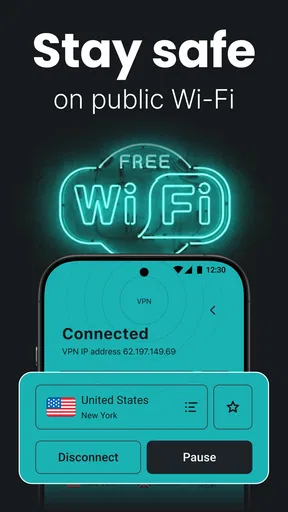
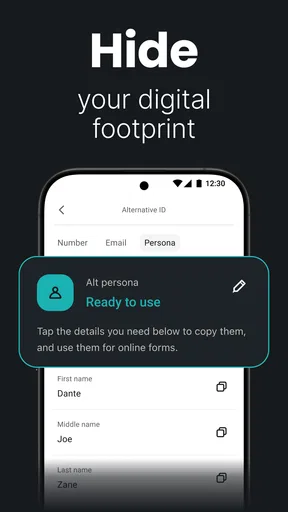
Surfshark packs quite a punch with its offerings. Its store summary describes a service combining VPN access with Antivirus and Alternative ID, which gives it a broader scope than a VPN-only tool. I’d treat those as separate reasons to consider the app, rather than assuming that installing a VPN automatically solves every security or identity concern. For day-to-day use, I’d start with the privacy setting I actually need and add other tools only if they match my habits.
Another standout feature is "Whitelister," which allows you to let specific apps or websites bypass the VPN. This is handy if you need direct access to your local network or certain services while staying protected across the rest of your apps. I’d use it sparingly: every exception is one more app or destination that won’t use the VPN connection, so it’s worth revisiting the list if a service behaves unexpectedly.
Worth Reading Before You Choose

Flipboard Shows What News Apps Must Do Beyond the Feed

Switching to Android Auto Means Rethinking Your Driving Routine

Google Calendar Makes a Crowded Week Easier to Manage

Ludo King Makes the Most of the Minutes Between Plans

Baby Panda World Brings Quick Play to Modern Phones, but Its Game Library Feels Busy

ESPN’s Live Game View Makes Following Close Games Easier
And let's not forget about "MultiHop," which lets you connect via multiple countries to add another layer to your route. It may suit someone who values that extra step, but I wouldn’t leave it on automatically just because it sounds more secure. A more involved route can be unnecessary for routine browsing; choosing a straightforward connection is often the more practical default when convenience matters.
Performance: Speed Without Compromise
A VPN can affect connection speed, so I’d judge performance by the task rather than by a blanket promise. A video call, a large download, and casual browsing put different demands on a connection. If something feels sluggish, I’d first try a nearby server or disconnect briefly to compare, then decide whether the added privacy is worth the difference for that particular activity.
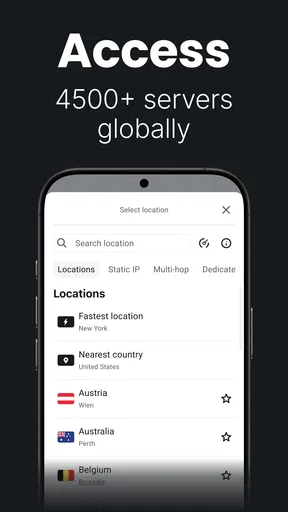
The app’s server choice can make the first connection easier, while manual selection is useful when you have a reason to choose a location yourself. I’d avoid changing locations just to chase a different result: a server closer to home is generally the more sensible starting point for routine use. If you need access to a service tied to a particular region, location choice becomes more relevant, but results can still depend on the service and network.
Security: A Fortress of Privacy
For me, the practical security question is not simply whether an app has protective features, but whether I remember to use them at the right times. A VPN can help protect traffic routed through it, yet it doesn’t make every online action anonymous or remove the need for careful account and device habits. I’d keep that boundary in mind rather than treating any VPN as a complete substitute for security sense.
A kill switch is useful to understand before relying on it: its purpose is to prevent traffic from continuing outside the VPN if the connection drops. If a banking app, work tool, or local device stops connecting, I’d check whether the VPN or an exception setting is involved before assuming the other service is broken. That small troubleshooting habit can save time and helps explain why a protected connection sometimes behaves differently from a direct one.
Everyday use, limits, and alternatives
Picture a familiar day: I’m working from a café, checking messages and browsing on shared Wi-Fi, then heading home and using a local printer or another device on my network. I’d turn on the VPN while away, then use an app bypass only if the local service genuinely needs a direct connection. That is more deliberate than leaving every setting untouched, but it avoids the opposite mistake of disabling protection for everything because one app has a problem.
Compared with a basic VPN app that focuses only on connecting to a server, Surfshark’s broader bundle may be more convenient if I want VPN access together with additional security and identity-related tools. The trade-off is that a wider set of features can mean more settings and a purchase decision that deserves a closer look. If I only need a simple tunnel for occasional public Wi-Fi, a straightforward VPN with a plan that clearly fits that limited use may be easier to evaluate. If my priority is a particular advanced feature or a specific platform, I’d compare the current feature and plan details before choosing.
It’s also worth asking what happens when a connection or app doesn’t behave as expected. I’d test the basic VPN connection first, then change one setting at a time—such as a server choice or an app exception—so it’s clear what fixed the issue. For a service tied to work, local devices, or a particular streaming library, I’d verify that the workflow suits me before relying on it every day. A VPN can improve privacy, but it can also add a step to troubleshooting.
The app is rated for Everyone and is free to download, while in-app purchases are available. Its average rating is 4.6 from around 232,000 ratings, and it has passed 10 million installs. Those figures suggest that it has broad reach, but they don’t tell me whether a specific plan is good value for my household. I’d use them as background, not as a substitute for checking the purchase terms and deciding which features I’ll actually use.
Who is likely to get value
I’d shortlist Surfshark if I regularly use public networks, want one app to cover several privacy-related needs, or prefer having manual controls available when a particular app needs direct access. It may also suit someone who is comfortable comparing purchase options and adjusting settings rather than expecting every connection to work identically in every situation.
I’d be more cautious if I wanted a permanently free VPN, dislike subscriptions or in-app purchases, or need a service with a narrowly defined capability that I haven’t confirmed in the current plan. It may also be more app than I need if I only connect rarely and have no use for the additional tools. In those cases, I’d compare simpler alternatives and focus on transparent cost and the one feature I actually require.
The Android app’s current version is 3.25.0, and it requires Android 6.0 or later. That gives Android users a useful compatibility check before installing; iOS users should check their device’s store page for their own requirements. Surfshark was released on July 2, 2018, but the detail I’d care about most today is whether the current version, purchase option, and supported features fit my device and routine.
Features: More Than Just Privacy
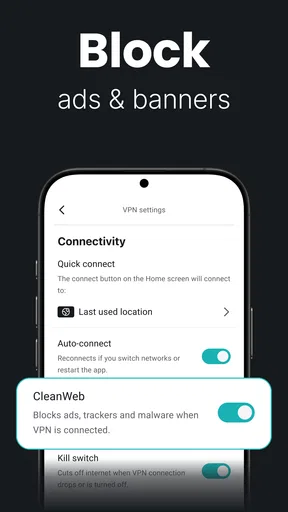
Now, let's talk about features. Surfshark packs quite a punch with its offerings. One of my favorites is the "CleanWeb" feature, which blocks ads, trackers, and malware. It's like having a digital bodyguard keeping all the internet nasties at bay.
Another standout feature is "Whitelister," which allows you to let specific apps or websites bypass the VPN. This is super handy if you need direct access to your local network or certain services while staying protected across the rest of your apps.
And let's not forget about "MultiHop," which lets you connect via multiple countries to really cover your tracks. It's like hiding behind a series of curtains—good luck to anyone trying to figure out where you are!
Performance: Speed Without Compromise
We all know a VPN can slow things down, but with Surfshark, I barely noticed a difference. Streaming Netflix in HD? No problem. Online gaming? Smooth as silk. It's designed to keep your connection fast, which is crucial if you're multitasking like me.
The app automatically connects you to the fastest server available, but you can also manually choose from a list of over 3,200 servers in 65 countries. This wide selection means you'll always find a speedy connection close by.
Security: A Fortress of Privacy
Security is where Surfshark really shines. It uses AES-256-GCM encryption, which is top-notch in the industry. This ensures that your data remains private and secure from prying eyes. Plus, the app has a "Kill Switch" feature, which automatically disconnects you from the internet if the VPN connection drops—an essential safety net.
Another cool feature is "NoBorders," which allows you to use Surfshark in restrictive regions. Whether you're traveling to a country with heavy internet censorship or just want to keep your online activities under wraps, this feature is a game-changer.
Customer Support: Always There for You
In my experience, the customer support team is incredibly responsive. Whether you prefer live chat, email, or browsing through the extensive knowledge base, help is always just a click away. I had a couple of questions during my setup, and their team was prompt and helpful, making the whole process stress-free.
While Surfshark isn't the only fish in the sea, its combination of ease of use, robust features, and stellar performance makes it a standout choice. Whether you're looking to stream content from across the globe or just want to keep your online activities private, it's definitely worth considering.
So, there you have it! If you're on the hunt for a reliable VPN that ticks all the right boxes, give Surfshark a go. It's been a solid addition to my digital toolkit, and I think you'll find it just as indispensable. Happy surfing!
My buy-or-skip verdict
My recommendation is to consider Surfshark when its mix of VPN access and additional tools matches a real need, not simply because a long feature list looks reassuring. I’d first decide whether I want a basic VPN or a broader security app, then check the exact in-app purchase and what it includes. That keeps the decision grounded in the value I’ll get rather than the number of features on the screen.
I’d skip it if I’m unwilling to pay for the level of access I need, or if I want a VPN that requires no configuration and never affects how other apps connect. For me, its strongest case is convenience paired with choice: it makes getting started approachable, while options such as app bypasses let me handle the exceptions that show up in real use. If that balance sounds useful and the purchase terms suit you, it’s a sensible app to try; if not, a simpler alternative may be a better fit.
Pros
- Fast connection speeds enhance browsing.
- User-friendly interface for easy navigation.
- Unlimited device connections with one account.
- Affordable pricing compared to competitors.
- Robust security features for privacy.
Cons
- Occasional server connection drops.
- Limited advanced settings for tech users.
- No dedicated IP option available.
- Inconsistent performance in some regions.
- Free trial requires payment details.
FAQs for Surfshark: Secure VPN service
What platforms does Surfshark support?
Surfshark is available on a wide range of platforms, including Android, iOS, Windows, macOS, and Linux. Additionally, it offers browser extensions for Chrome and Firefox. This broad compatibility allows users to protect their data across multiple devices with a single subscription, ensuring a seamless experience.
How many devices can I connect with one Surfshark account?
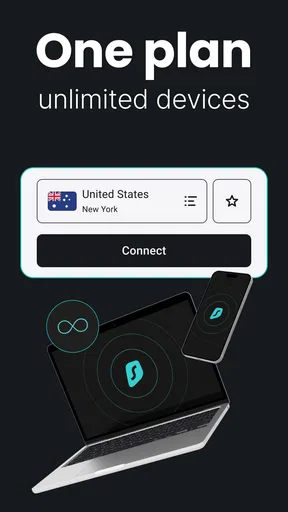
One of the standout features of Surfshark is the unlimited device connections it offers. This means you can connect as many devices as you want under a single account, making it an excellent choice for families or users with multiple gadgets, ensuring all your devices are protected.
Does Surfshark keep logs of my online activities?
Surfshark follows a strict no-logs policy, which means it does not track, store, or share your browsing data or personal information. This commitment to privacy ensures that your online activities remain confidential, aligning with its goal to provide a secure and private browsing experience.
What features does Surfshark offer to enhance security?
Surfshark offers several advanced security features, including AES-256-GCM encryption, a Kill Switch, and CleanWeb, which blocks ads, trackers, and malware. It also supports MultiHop, which allows users to connect via two different VPN servers for an extra layer of security, enhancing privacy and protection.
Is Surfshark easy to set up and use for beginners?
Surfshark is designed with user-friendliness in mind, featuring an intuitive interface suitable for beginners. The setup process is straightforward, with clear instructions provided during installation. Additionally, 24/7 customer support is available to assist with any questions or issues that may arise.


